
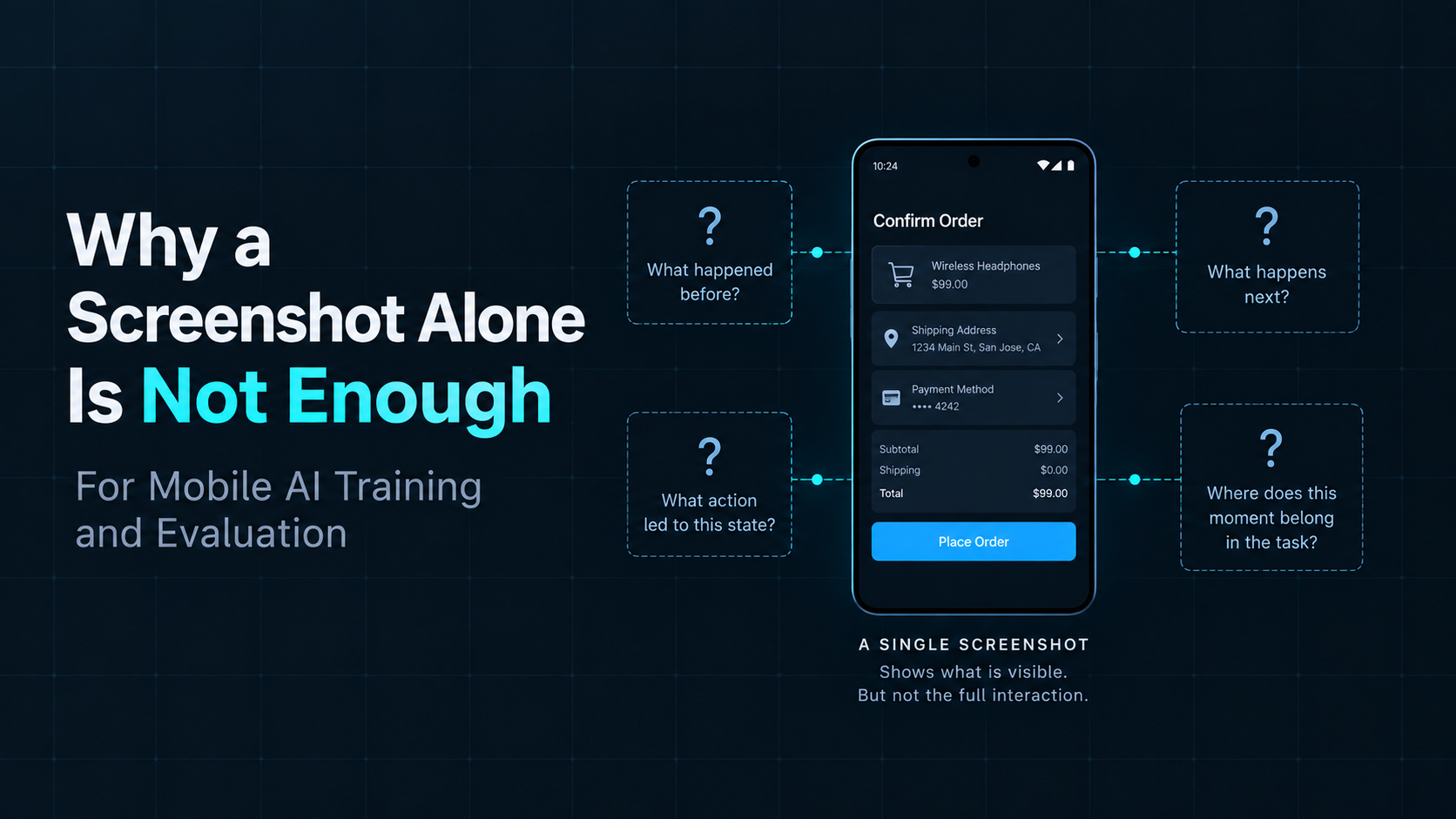
Screenshots are one of the most useful forms of observation data in Mobile AI.
They preserve what was visible on a screen at a particular moment.
For systems that need to understand mobile interfaces, that visual evidence can be extremely valuable.
But a screenshot is still a record of a moment.
By itself, it does not necessarily tell us what happened before that moment, what action produced the current state, what happened afterward, or where the moment belongs in a longer task.
That distinction matters when mobile interactions become training or evaluation data.
A screenshot can preserve what was visible at a moment.
It cannot, by itself, preserve the interaction that produced or followed that moment.
What a Screenshot Captures Well
A screenshot can contain a large amount of useful information.
It may preserve:
visible UI layout,
text,
buttons and controls,
images,
application state,
visual feedback,
and other information available on the screen.
For Mobile AI systems that reason about graphical interfaces, this can provide important observation evidence.
A screenshot may tell us that a search page was visible.
It may show that a form contained particular values.
It may show that a confirmation dialog appeared.
It may preserve the exact visual state the agent encountered at one point in execution.
In that sense, a screenshot is strong evidence of what was visible at a particular moment.
The limitation appears when we ask the screenshot to explain more than that.
What a Screenshot Does Not Preserve
Consider a single screenshot captured during a mobile task.
We can inspect the interface.
But several questions may remain unanswered:
What came before?
What action was taken?
What changed afterward?
Where does this moment belong in the task?
The pixels inside the screenshot do not necessarily contain those relationships.
A confirmation screen may tell us that the interface currently displays confirmation.
It does not necessarily tell us which sequence of actions produced it.
An error message may tell us that an error is visible.
It does not necessarily tell us which action triggered the error or what the agent did next.
The screenshot preserves the state.
The surrounding interaction may still be unknown.
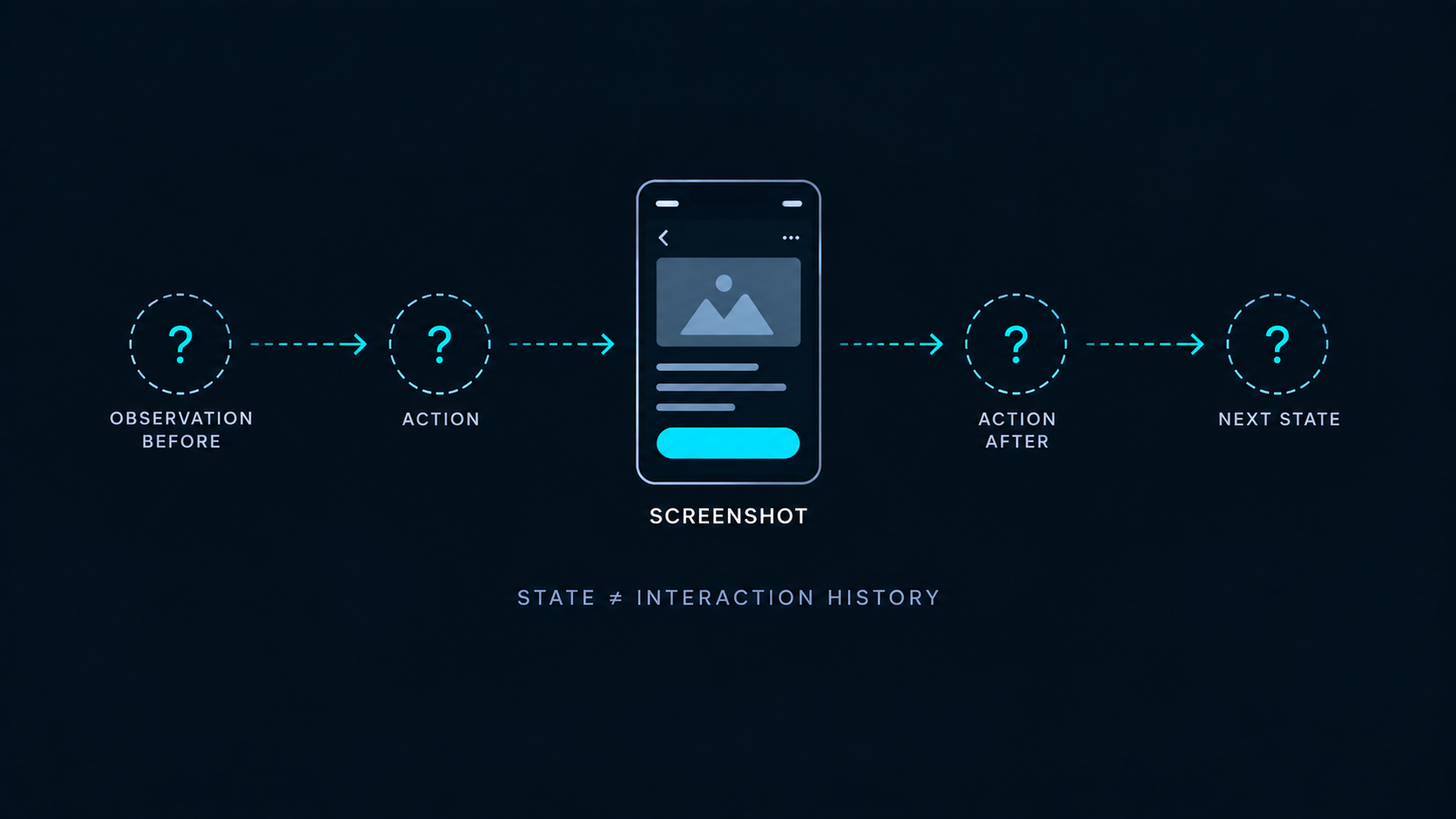
State Is Not Interaction
This leads to an important distinction:
A screenshot preserves state.
An interaction requires relationships between states.
Imagine we capture one screen:
Observation A
That observation can be useful on its own.
Now add an action and the next observation:
We now know more than what two screens looked like.
We know that a particular action connected them.
The data begins to describe an interaction.
Add another step:
Now the records begin to form an ordered interaction history.
The screenshots remain important.
But their meaning becomes richer when they are connected to the actions and state changes around them.
The limitation is not the screenshot itself.
The limitation is isolation.
The Same Screenshot Can Have Different Histories
Suppose we capture a screenshot of a confirmation screen.
From the image alone, we may know that the interface reached that visible state.
But multiple interaction histories could have produced the same screenshot.
One execution might look like:
Another might look like:
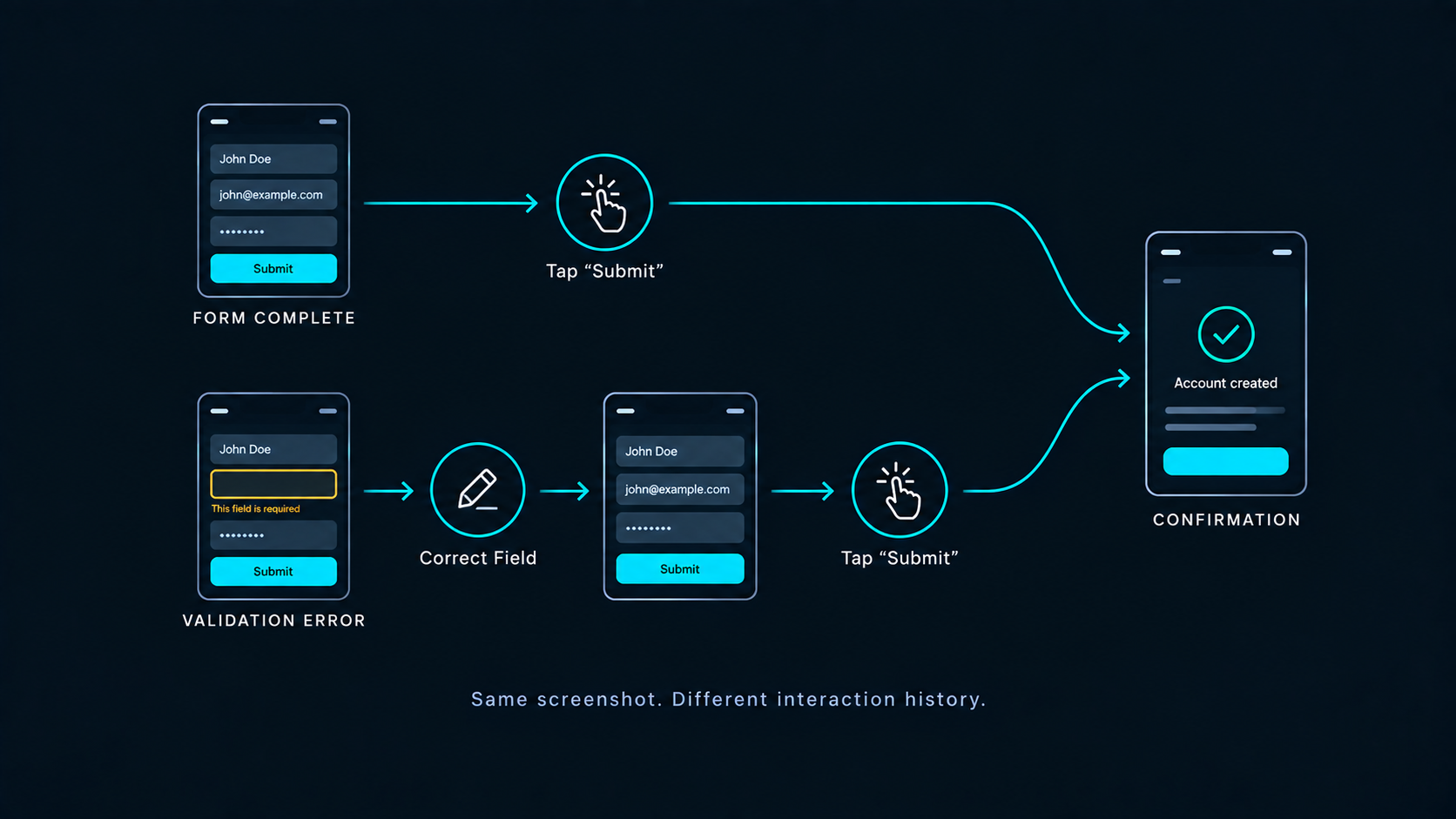
The final screenshot can be visually identical.
The interaction histories are not.
Looking only at the final image hides that difference.
The image tells us where the interface is.
It does not necessarily tell us how the execution arrived there.
This is one reason screenshots become more informative when they are preserved as part of a trajectory rather than treated only as isolated images.
Why This Matters for Training Data
Mobile AI training can involve different objectives, data formats, and learning methods.
Not every training workflow requires the same information.
But when the goal involves learning from interaction, screenshots alone may leave important relationships unrepresented.
A screenshot can help show:
what an interface looks like,
what information is visible,
and what state the application appears to be in.
Interaction data can add:
what action was taken in response to that observation,
and what state followed that action.
This distinction matters because recognizing a state and learning from an interaction are not necessarily the same problem.
Learning from mobile interaction may require preserving the relationship between states and actions.
Instead of:
Screenshot
the useful record may look more like:
or, across a longer task:
The screenshots are still present.
They are now connected to the execution around them.
Why This Matters for Evaluation
The same principle applies when we examine Mobile AI execution.
A final screenshot can provide useful evidence.
For example, it may show that the agent reached a confirmation screen.
But that image alone does not necessarily describe how the task unfolded.
One execution may have moved directly through the expected states.
Another may have encountered an unexpected state, navigated back, retried an action, and eventually reached the same visible result.
If we preserve only the final screenshot, those histories may disappear.
This does not automatically tell us how the executions should be scored.
Determining how different execution histories should be evaluated is a separate problem.
The narrower point is:
evaluation may require evidence about execution, not only evidence of one visible state.
Screenshots Become More Useful Inside a Trajectory
A screenshot does not become less useful when we add interaction context.
It becomes more informative.
Inside a trajectory, a screenshot can represent an observation at a particular point in execution.
That observation can be connected to:
the action that followed it,
the resulting state,
the next observation,
and the broader task sequence.
Instead of treating screenshots as isolated images, we can treat them as observation evidence inside an interaction history.
This gives us a more complete structure:
The screenshot still answers:
What was visible?
The trajectory adds:
What happened around it?
That distinction is central to turning raw mobile observations into useful interaction data.
Real Devices Add Execution Context, Not Automatic Meaning
The same principle applies when Mobile AI tasks run on physical Android devices.
A real device provides a physical execution environment.
It can expose the agent to real Android behavior, device state, application behavior, network conditions, and other execution context that may matter to a workflow.
But running on a real device does not automatically make the resulting data structured or meaningful.
The system still needs to preserve the relevant observations, actions, outcomes, and relationships between them.
Real Android provides execution context.
Structured interaction data requires preserving what happens within that environment.
ARMARRAY is building Real Android infrastructure for Mobile AI Data Collection & Evaluation, providing the physical execution layer where these real-device interactions can occur.
The underlying principle remains the same whether the execution happens in a synthetic environment, an emulator, or on physical Android:
a screenshot is valuable observation evidence.
But an interaction is more than a screenshot.
Next: What Makes a High-Quality Mobile Interaction Dataset?
If isolated screenshots are not enough to describe an interaction, another question follows:
What makes the resulting interaction data useful?
Collecting more records does not automatically create a high-quality dataset.
The structure, consistency, context, and usability of those records also matter.
In the next article, we’ll look at what makes a high-quality Mobile AI interaction dataset.